
Automatic requests
Automatic requests are entirely optional. Aldus reads and streams files you already own with no external services at all — this page only matters once you want household members to ask for a format they don’t have yet.
Aldus works with Prowlarr to search indexers, qBittorrent for torrents, and SABnzbd for Usenet. Configure either download client or both; the selected release determines which client receives it. The server owner is responsible for the indexers and tracker credentials configured here — Aldus doesn’t provide, endorse, or ship any of them.
Connect Prowlarr and qBittorrent
Section titled “Connect Prowlarr and qBittorrent”Open Acquisitions → Connections. Every field here maps to a real setting stored on the server (API keys and passwords are write-only — the form shows “Saved, leave blank to keep it” rather than the actual secret).
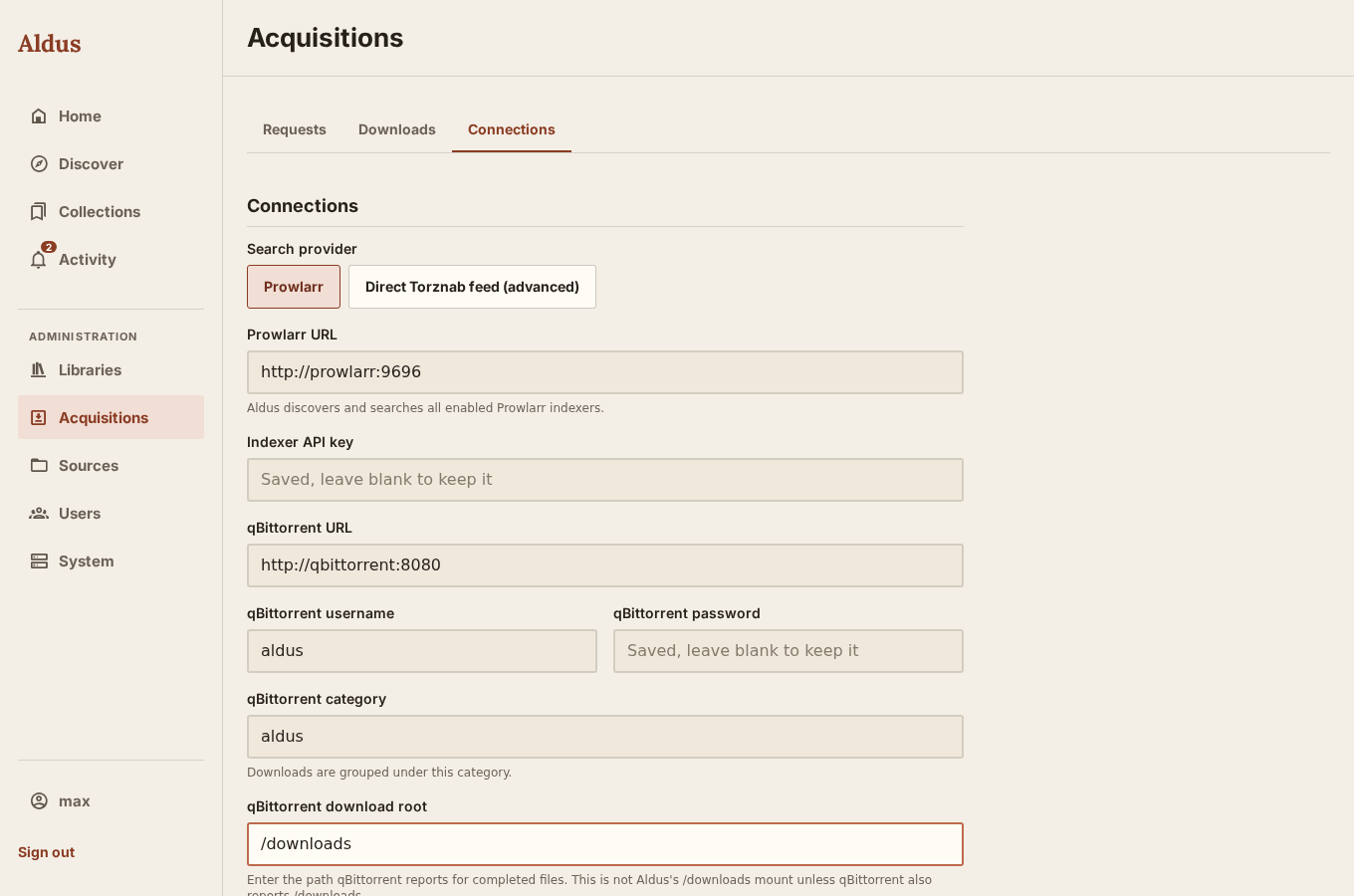
| Field | Notes |
|---|---|
| Search provider | Prowlarr (recommended) or a direct Torznab feed for a single advanced indexer. |
| Prowlarr URL / Torznab feed URL | Must be a valid http(s):// URL with a host. Do not embed a username, password, or API key in the URL; use the dedicated credential field. With Prowlarr, Aldus discovers enabled indexers for the download clients you have configured — you don’t configure indexers individually in Aldus. |
| Indexer API key | Prowlarr’s API key. Stored, never redisplayed. |
| qBittorrent URL | The Web UI address, e.g. http://qbittorrent:8080 on a shared Docker network. |
| qBittorrent username / password | Credentials for that Web UI. |
| qBittorrent category | Downloads are tagged with this category in qBittorrent; defaults to aldus. |
| qBittorrent download root | The path qBittorrent itself reports for completed files — not Aldus’s own /downloads mount, unless qBittorrent happens to report that same path. Aldus uses this to translate qBittorrent’s view of a finished download into a path it can read. |
Select Save connections to persist the settings (it also runs a connection test automatically), or Test connections at any time to re-check without saving. Open Show search details to see which indexers responded, which releases were excluded, and whether each feed advertises standard book or audiobook categories. Category support alone does not prove a release’s file format. Aldus accepts a supported format in the title or explicit format metadata; an unrecognized format stays excluded. Search health, qBittorrent connectivity, and completed-file visibility are separate checks.
Changing the qBittorrent connection applies to new downloads. Existing downloads retain their original client, category, and download-root mapping for polling, retry, restart recovery, and cancellation. Keep the old client reachable until those jobs finish. Updating credentials for the same endpoint also updates its existing jobs; a different endpoint does not inherit the previous endpoint’s password. If an old client is unavailable, downloads on another client can still progress.
Connect SABnzbd for Usenet
Section titled “Connect SABnzbd for Usenet”In Acquisitions → Connections, enter SABnzbd’s Web UI URL, full API key, optional existing category, and completed download root. The NZB-only key cannot read queue/history or manage jobs. With Prowlarr, enable Usenet book or audiobook indexers; for a single provider, choose Direct Newznab feed (Usenet).
Aldus retrieves and validates the NZB, then uploads it to SABnzbd. Keep Usenet
server subscriptions and credentials in SABnzbd. Aldus needs only its API key and
access to completed output. The completed download root is the path SABnzbd
reports; mount those same files under Aldus’s ALDUS_DOWNLOAD_INGRESS. When both
clients are used, both completed folders must be visible under that ingress.
The download remains active through verification, repair, unpacking, moving, and post-processing. Only completed output enters the existing import workflow. Aldus makes its managed library copy without deleting SABnzbd’s original files. Connection diagnostics report SABnzbd connectivity and completed-file visibility separately from qBittorrent.
Keep SABnzbd queue/history entries until Aldus has imported the book. Restart recovery uses the persisted client and job ID. Failed jobs can be retried through SABnzbd; Aldus records the replacement ID returned by the retry. If a submission response is lost, Aldus looks for its request marker instead of uploading again. If the job cannot be found after 15 minutes, the request reports an error. Check SABnzbd before creating another request, especially if history was pruned or the job was renamed. Aldus does not guess whether a missing job completed.
Canceling an Aldus-owned queued job leaves downloaded files intact. Cancellation while SABnzbd is post-processing asks you to wait, preserving completed output. Changing the connection affects new jobs; existing jobs retain their original client and completed-folder mapping.
Environment defaults are ALDUS_SABNZBD_URL, ALDUS_SABNZBD_API_KEY,
ALDUS_SABNZBD_CATEGORY, and ALDUS_SABNZBD_DOWNLOAD_ROOT. Saved connection
settings take precedence. Connector keys are omitted from redacted backups and
must be re-entered after restoring one.
Per-library download rules
Section titled “Per-library download rules”Every library has its own acquisition policy, editable by owners, editors, and admins under Acquisition policy. These rules are mandatory for every guided request — including ones a member is allowed to skip approval on. Only a member with advanced release choice may bypass them. For readers, downloading a specific release directly also requires skip approval and can request. Advanced choice alone permits browsing releases, but the reader must use a guided request for approval. Owners, editors, and administrators with access to the library can choose releases directly.
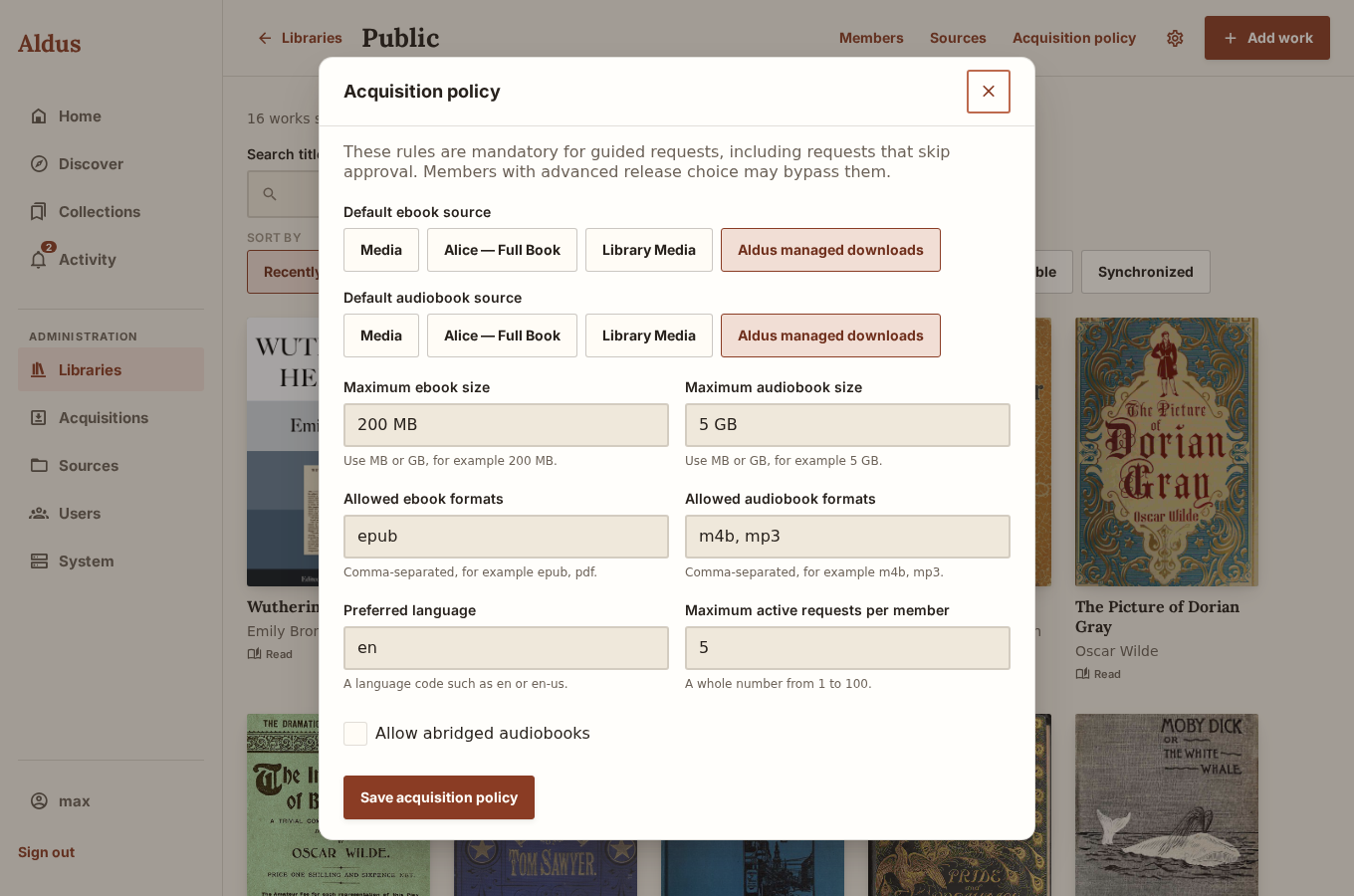
| Rule | Default | What it does |
|---|---|---|
| Default ebook / audiobook source | — (must be set) | Which enabled Source a completed download is copied into. Usually “Aldus managed downloads” — see Media sources. Must point at an enabled Source or the policy won’t save. |
| Maximum ebook size | 200 MB | Releases larger than this are rejected before download. |
| Maximum audiobook size | 5 GB | Same, for audiobook releases. |
| Allowed ebook formats | epub |
Comma-separated list; a release in any other format is filtered out. |
| Allowed audiobook formats | m4b, mp3 |
Same, for audio. |
| Preferred language | en |
A language code such as en or en-us, used to prefer matching releases. |
| Allow abridged audiobooks | off | Whether abridged audiobook releases are acceptable at all. |
| Maximum active requests per member | 5 | A whole number from 1–100 capping how many non-finished requests one member can have open at once, across this library. |
Both size limits are internally clamped between 1 KB and 1 TiB regardless of what you type, and formats are normalized to lowercase automatically.
For audiobooks, choose a complete book in one M4B or MP3 file. Folders of separate chapter files do not currently play as one continuous audiobook. If a download contains separate chapters, do not select just one chapter in Import review to fulfill the request: it is only part of the book.
What happens when someone requests a title
Section titled “What happens when someone requests a title”- A member with can request submits a title. Unless they also have skip approval (or hold the owner/editor role, which always bypasses the queue), the request waits in the Requests tab for an owner, editor, or admin to approve or deny each format.
- Once approved, Aldus searches every enabled Prowlarr indexer concurrently and filters results against the library’s format, size, and language rules.
- The selected release goes to its matching download client. Aldus saves that connection and the returned job ID, with a request marker for recovery if a submission response is lost.
- Aldus checks downloads roughly every 15 seconds. Once the client reports completed output, including any SABnzbd repair and unpacking, Aldus copies the files into the library’s managed Source and verifies their hashes during and after the copy.
- That copy triggers a scan of the managed Source, which produces an import proposal exactly as described in Media sources — a high-confidence match imports immediately if the managed Source has auto-import on; anything less certain waits in Import review.
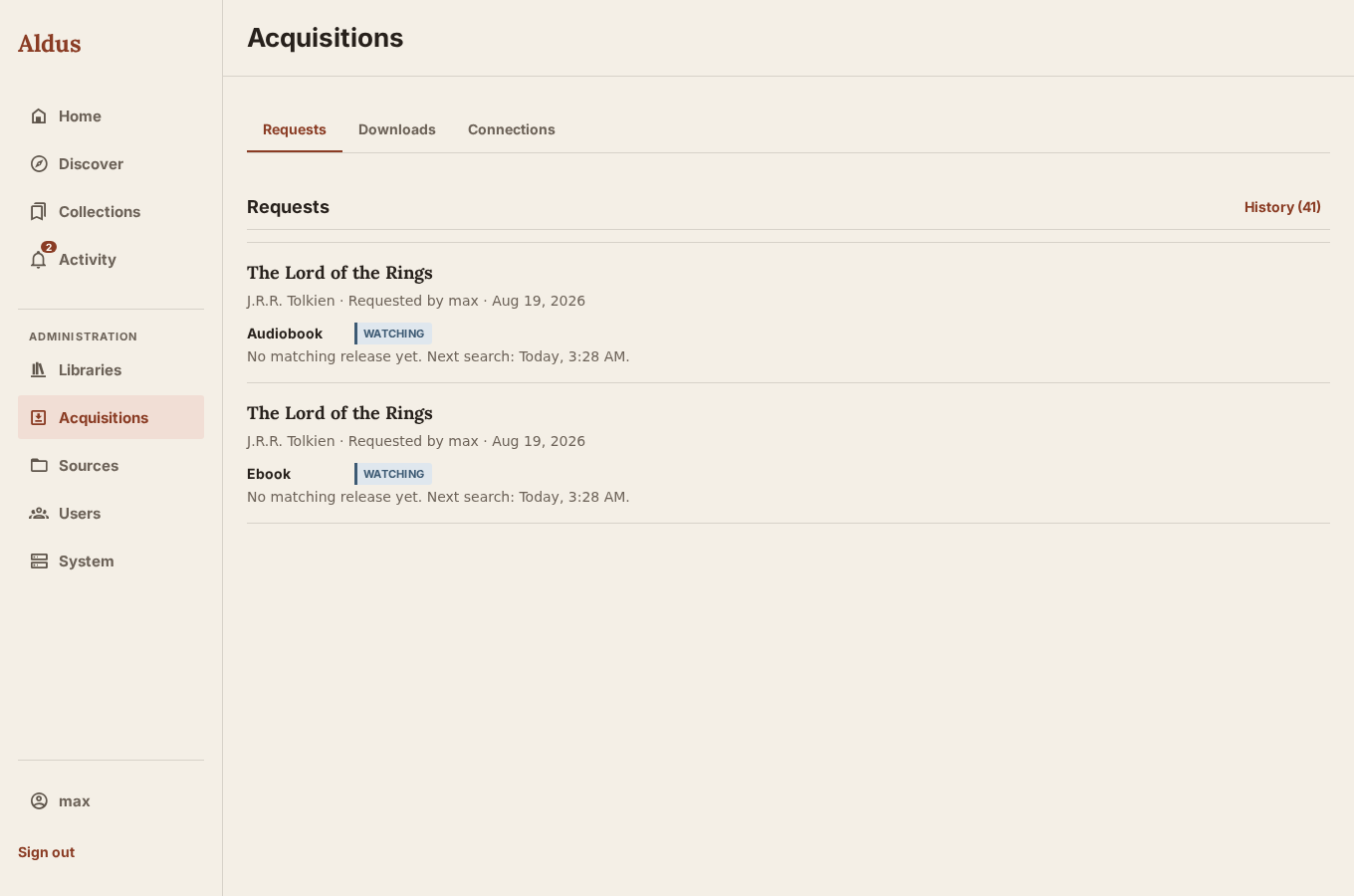
- The request’s status moves through Requests → Downloads and finally to Available once the matching work exists in the library — or Needs review if the import needs a human decision, or Failed with a plain-language reason and an expandable technical detail panel if something went wrong along the way.
If the full title and author find no eligible release, Aldus can try once more without an explicit numbered series prefix. For example, Hunger Games 2 - Catching Fire Suzanne Collins falls back to Catching Fire Suzanne Collins. Fallback releases must contain the book title and author, pass the same library rules, and have no conflicting explicit volume number. Your saved title stays unchanged. Existing watching requests use this behavior on their next scheduled search after the server is updated.
Reviewing downloads with several books
Section titled “Reviewing downloads with several books”Open Sources & imports and review the proposals from the download. Select Fulfill request for … with this book for the book the family requested, then import it. Leave that option unchecked when importing other books from the same download. The chosen book must contain the requested ebook or audiobook format. Dismissing every proposal marks the request as failed so it can be retried.
Canceling removes the linked torrent only when Aldus recorded that it created it. A reused torrent, or one whose ownership could not be confirmed, remains in qBittorrent. Retrying a failed download updates the original family request; its ready notification opens the imported book.